CS Mapping
Interactive map. Leave a mark for friends. Text, links, weather, photo.
Save places on the map and share them with friends.
SAVE PLACES. SHARE THEM WITH FRIENDS.
Save places on your map. Keep marks private, share them with friends, or make them visible to the community.
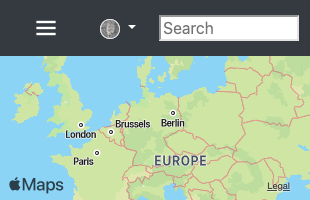
Explore places shared by other travelers.
CLUSTERS
Group related marks into clusters and filter which clusters appear on the map.
MODERATION
AI moderation checks text and images for potentially harmful content.
WHAT YOU CAN DO
- Lock editing, then tap or click the map to ask AI about a location or check its weather.
- Customize each cluster’s icon and colors.
- Invite friends to share marks with.
- Choose who can see your marks: only you, your friends, or the community.
- Add photos and links to your marks.
- Create routes between neighboring marks.
- Check the current weather at a marked location.
- Zoom in to see Wikipedia marks and open articles about nearby places.
- Mark local hazards, such as traffic jams or forest fires.
- Bookmark places you want to return to.
- Choose standard, hybrid, or satellite view.
- Use the compass on mobile devices to orient the map.
- Search for places by name or find your current location.
- Open Help in the map’s side menu for instructions.